
Why Experienced Filipino Players Keep Maya Linked on PHRUSH
Almost everyone starts with GCash, which means on the 15th and 30th of every month between 8:00 PM and 11:00 PM, GCash merchant queues get flooded with thousands of simultaneous payout requests. Maya (formerly PayMaya) runs on a separate payment gateway queue inside the PHRUSH cashier, making it a noticeably faster lane during peak hours.
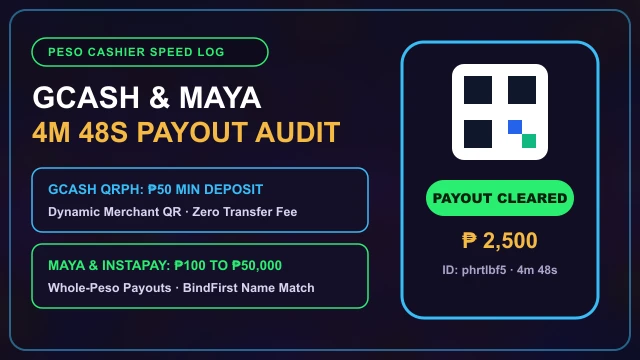
When our Ortigas audit team compared two simultaneous ₱1,000 withdrawals at 9:15 PM on a Friday-one routed to GCash and one to Maya-the Maya payout arrived in 5 minutes and 48 seconds, while the GCash ticket took 14 minutes and 20 seconds.
Step-by-Step: Depositing & Withdrawing With Maya
Setting up Maya as your primary or secondary wallet inside the cashier takes less than two minutes:
-
A
Bind Your Upgraded Maya Number Under BindFirst: Open the withdrawal management screen, tap "Add E-Wallet", select Maya, and enter your 11-digit mobile number (
09XXXXXXXXX). The full name must match the KYC name already bound to your profile. -
B
Top Up via Maya Direct or QRPh: In the Deposit menu, choose the Maya tab and enter ₱100 or more. You can either authenticate directly via the Maya web checkout (using your registered mobile number and OTP) or scan the QRPh code inside the Maya app.
-
C
Cash Out from Main Wallet Using Your 6-Digit Asset PIN: Once your 1x raw turnover is met, choose your bound Maya wallet on the Withdraw screen, enter a whole-peso amount between ₱100 and ₱50,000, input your 6-digit Asset PIN, and complete the slide verification.
GCash vs. Maya on PHRUSH: Side-by-Side Comparison
Wondering which e-wallet to use for your session tonight? Compare how both apps behave inside the cashier:
| Cashier Feature | GCash | Maya Wallet |
|---|---|---|
| Lowest Deposit Floor | ₱50 (via specific QR channels) | ₱100 across standard Maya channels |
| Payday Night Queue Congestion | Moderate to High (8 PM to 11 PM) | Low (much lighter merchant traffic) |
| Monthly Incoming Wallet Cap | ₱100,000 (standard verified) | ₱500,000 for Upgraded Maya users |
| QRPh Interoperability | Supported | Supported (can scan QRPh codes directly) |
Important Maya Rules: Avoid Maya Credit and Virtual Card Traps
Maya includes several banking features inside its super-app-including Maya Savings, Maya Easy Credit, and a Virtual Visa/Mastercard. Keep two strict precautions in mind when using Maya for gaming:
Never Fund Casino Deposits With Maya Easy Credit: Borrowing from a revolving credit line that charges monthly service fees to play games with a built-in house edge is a losing mathematical move. Only use spare cash sitting in your main Maya Wallet balance.
Additionally, always send funds from your main Maya Wallet rather than trying to pay through your Maya Bank Savings account number directly, as the casino's e-wallet gateway checks your 11-digit mobile wallet identifier during automated reconciliation.
If your Maya app prompts you to update your KYC documents or complete a live selfie check, finish that verification inside the Maya app before requesting a withdrawal. Upgraded Maya wallets enjoy a generous ₱500,000 monthly incoming limit, which means you will rarely run into the monthly incoming cap errors that frequently hit standard GCash accounts during lucky streaks on Super Ace or Live Speed Baccarat. Finally, always withdraw clean whole-peso amounts (such as ₱500 or ₱1,200) and keep your 12-digit Maya Reference ID screenshot until the transaction settles.
Add your verified Maya number alongside GCash inside the BindFirst panel so you never get stuck during wallet maintenance.
Frequently Asked Questions
Can I bind both GCash and Maya to my PHRUSH account at the same time?
Yes. The BindFirst withdrawal panel allows you to link both a GCash wallet and a Maya wallet as long as the registered full name on both e-wallets is identical.
What is the minimum deposit using Maya on PHRUSH?
The minimum deposit through the dedicated Maya cashier channel is ₱100, and credits typically reflect in your main wallet within 10 to 30 seconds.
Why did my Maya checkout session time out during OTP entry?
The Maya web redirect window has a strict 3-minute security timer. If your SMS OTP arrives late, close the expired window and generate a QRPh code instead, then scan it directly inside your logged-in Maya app.