
What to Prepare Before You Complete Your PHRUSH Register Form
Operators make registration look effortless because they want you depositing as fast as possible. What they rarely highlight on the banner is the strict BindFirst withdrawal rule waiting on the other side. While you can deposit pesos from almost any QR code, you cannot cash out a single centavo until your account profile matches a fully verified personal GCash or Maya wallet.
Spend two minutes checking three items before you tap the registration button. First, make sure the SIM card in your phone is active and belongs to you.
Second, verify that your GCash or Maya account is Fully Verified with a valid Philippine government ID. Third, never register a second account if you or someone in your household already linked your e-wallet on this platform.
Step-by-Step Account Registration Without Future Payout Locks
Follow these four steps carefully so you never run into a name-mismatch rejection when you request a cashout later.
-
A
Open the Registration Tab on an Official Line: Launch the sign-up form in standalone Chrome or Safari. Enter a clean alphanumeric username (6 to 14 characters) and a strong password that you do not use on your email or banking apps.
-
B
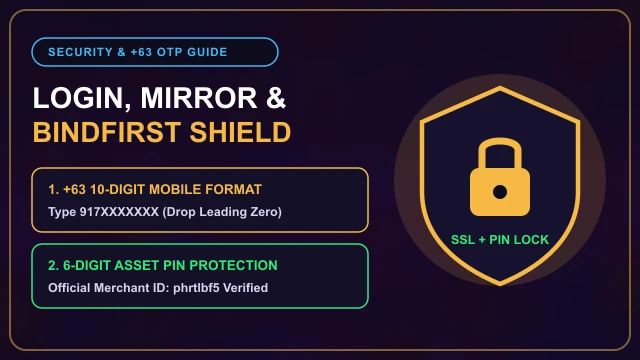
Input Your +63 Mobile Number Correctly: Type the 10 digits starting with 9 (for example, 917xxxxxxx) without the leading zero. Use the exact same mobile number registered on your primary GCash or Maya account whenever possible.
-
C
Type Your Real Legal Name Exactly as Shown on GCash: When prompted for your real name during wallet binding, copy the exact spelling from your GCash profile settings. Do not use nicknames like "Junjun" or "Bossing" or automated risk checks will flag your first withdrawal.
-
D
Set Your Six-Digit Asset PIN Immediately: Before making your first deposit, visit the security center and configure your BindFirst wallet and 6-digit Asset PIN so your payout channel is ready in advance.
Common Registration Mistakes That Trigger Account Freezes
Most complaints on local player forums about "confiscated winnings" trace back to four preventable registration mistakes. Review this table before funding your balance.
| Registration Mistake | Why the System Flags It | Safe Player Workaround |
|---|---|---|
| Using a Spouse's or Friend's GCash | Anti-fraud rules reject third-party wallets when the account holder name and e-wallet name differ. | Only register and bind an e-wallet that carries your own verified legal name. Read our name mismatch recovery guide if you already made this mistake. |
| Opening Multiple Accounts for Free Sign-Up Credits | Device fingerprinting and IP logs detect multi-accounting when two profiles share one handset or Wi-Fi router. | Stick strictly to one account per person and device. Multi-account flags void both bonus and raw winnings. |
| Auto-Claiming the Random Welcome Bonus Blindly | Free sign-up rewards attach game restrictions and a ₱100 to ₱300 maximum cashout cap. | Check our random sign-up bonus breakdown first, or skip high-rollover promos if you want uncapped 1x withdrawals. |
| Registering on Public Free Wi-Fi | Shared mall or cafe IP addresses frequently overlap with banned bonus-hunting accounts. | Complete your initial registration using your personal Globe, Smart, or DITO 4G/5G mobile data. |
Should You Claim the New Member Bonus Upon Registration?
Right after you finish your PHRUSH register steps, a pop-up banner will invite you to bind your GCash or Maya account for a random sign-up reward or a 100% first deposit match. Here is the honest street-smart math: free no-deposit credits are fine for testing the lobby interface, but they cap your maximum withdrawal at around ₱100 to ₱300 no matter how high your balance climbs.
Practical Player Workaround: If you plan to deposit real pesos and play serious sessions on JILI Super Ace or PG Soft Mahjong Ways 2, leave the welcome deposit bonus unchecked on your first ₱100 test cash-in. Playing on raw cash requires only a 1x valid-bet turnover and lets you withdraw your full profit with zero ceiling.
Once your profile and e-wallet are linked, we recommend running a small ₱100 deposit and a ₱100 withdrawal test via our GCash QR cash-in and payout guide before committing a larger bankroll.
Register with your active +63 mobile number and bind your matching GCash or Maya wallet before depositing.
PHRUSH Frequently Asked Questions
Is it free to register an account on PHRUSH?
Yes, creating an account is 100% free. Never pay any self-proclaimed Facebook or Telegram agent a registration fee or "VIP activation fee" to open a profile.
Do I need to upload my government ID during initial registration?
No ID upload is required on the initial 60-second sign-up screen. However, your linked GCash or Maya wallet must be Fully Verified in your own legal name, and the security team can request a valid Philippine ID if your account triggers a name-mismatch or high-value payout audit.
Can my spouse and I register separate accounts using the same GCash number?
No. Each GCash or Maya account number can only be bound to one player profile across the entire platform. Sharing a single e-wallet between two accounts will lock both profiles.
What age is required to register in the Philippines?
In compliance with Philippine responsible gaming standards, players must be at least 21 years old and not barred by government service or military regulations.