
Why SMS Verification Codes Get Delayed on Philippine Mobile Networks
Whether you are completing your initial account registration, resetting a forgotten login password, or updating your 6-digit Asset PIN, PHRUSH dispatches automated 6-digit One-Time Passwords (OTPs) through third-party international A2P (Application-to-Person) SMS gateways routed into Globe Telecom (Globe/TM/Gomo), Smart Communications (Smart/TNT), and DITO Telecommunity.
Because Philippine telecom carriers actively filter automated shortcodes to block phishing links, legitimate A2P OTP texts can get delayed or silently quarantined on your handset. Before you tap "Resend OTP" five times and lock your phone number for an hour, walk through the network table and four fixes below.
| Philippine Carrier | Prefix Examples | Average OTP Arrival Speed | Common Carrier Bottleneck |
|---|---|---|---|
| Smart / TNT | 0918, 0919, 0920, 0998, 0999 | 5 to 18 seconds | Blocks rapid repeat requests sent within 45 seconds. |
| Globe / TM / Gomo | 0915, 0916, 0917, 0927, 0995 | 10 to 35 seconds | Peak evening A2P queue delays (7:30 PM to 10:30 PM PHT). |
| DITO Telecommunity | 0991, 0992, 0993, 0994 | 8 to 25 seconds | Requires VoLTE / clean 4G tower registration after SIM swap. |
Four Verified Fixes When Your PHRUSH OTP Does Not Arrive
-
A
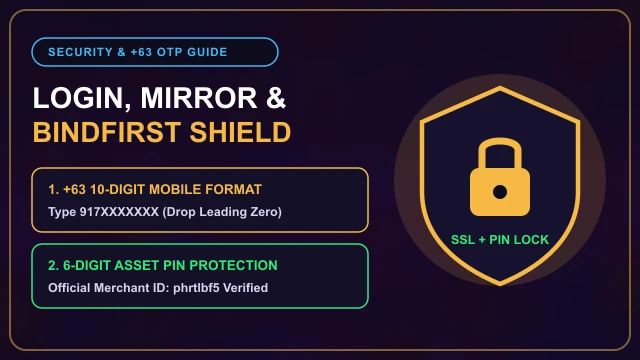
Fix #1 - Drop the Leading Zero After the +63 Country Prefix: When the input box already shows
+63on the left, you must type only the 10 digits starting with 9 (for example,9171234567). If you type the full 11 digits starting with zero (+63 09171234567), the SMS gateway routes the text to an invalid 12-digit string and it will never arrive! -
B
Fix #2 - Check Your Android "Spam & Blocked" SMS Folder: Google Messages on Realme, Xiaomi, Oppo, Vivo, and Samsung phones automatically routes unknown 5-digit shortcodes and alphanumeric senders into a silent quarantine folder. Open your Messages app, tap your profile icon in the top-right corner, and tap "Spam & blocked"-your 6-digit code is often sitting right there.
-
C
Fix #3 - Perform a 10-Second Airplane Mode Tower Reset: If your phone has been connected to the same congested cell tower all evening, pending A2P SMS packets can get stuck in the local paging queue. Swipe down your quick settings, turn Airplane Mode ON for 10 full seconds, then turn it OFF so your SIM re-authenticates with the nearest Globe, Smart, or DITO tower before requesting a fresh code.
-
D
Fix #4 - Wait Out the Full 60-Second Countdown Timer: Never mash the "Send Code" button repeatedly. If you request Code #2 while Code #1 is still in transit on Globe's network, Code #1 is immediately invalidated on the server-so when Code #1 arrives 15 seconds later and you type it in, the screen will say "Verification Code Expired or Invalid."
What If You Lost Your Registered SIM Card?
If your phone was lost or your old prepaid SIM expired after 120 days without load, you obviously cannot receive an SMS OTP on that number. Do not open a second PHRUSH account-the system will block you when you try to bind your same KYC name or GCash wallet.
Manual SIM Replacement Procedure: Open 24/7 Live Chat from the login screen and request a Manual Phone Number Update. Have three proofs ready: (1) Your exact username, (2) A screenshot of your most recent GCash or Maya deposit reference number, and (3) A clear photo of your valid Philippine government ID matching your locked BindFirst name.
Make sure you enter your 10-digit mobile number without the leading zero whenever the +63 prefix is active.
PHRUSH Frequently Asked Questions
Why does PHRUSH say "Verification Code Invalid" when I type the code I just received?
You likely tapped "Resend OTP" a second time before the first text arrived. Requesting a second OTP immediately cancels the first 6-digit code-wait 60 seconds for the newest text message to arrive and enter that one.
How many OTP requests can I make per day before my number is temporarily locked?
Most A2P SMS gateways cap a single +63 mobile number at 5 consecutive unverified OTP requests within a 1-hour window to prevent SMS-flooding abuse.
Does PHRUSH send OTP codes via Viber, WhatsApp, or Email?
Standard account verification uses SMS to your registered +63 mobile number. If carrier maintenance blocks SMS delivery in your area, contact 24/7 Live Chat inside the portal for manual verification.